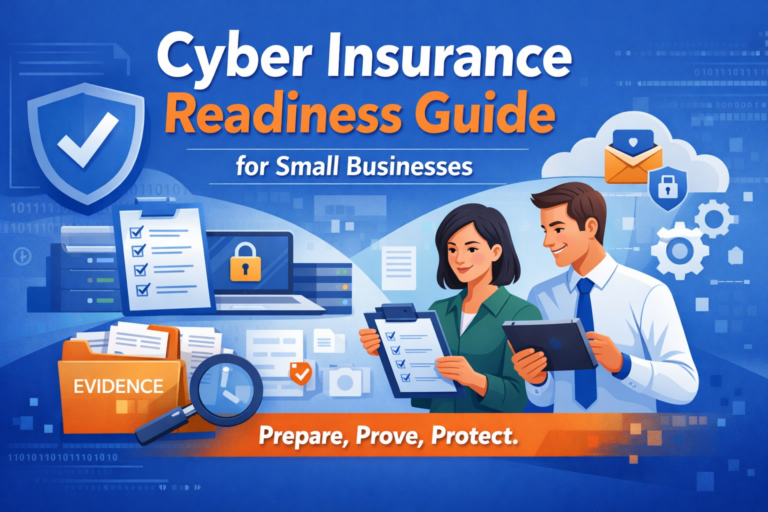
Cyber insurance applications have become more detailed, and insurers are increasingly expecting you to prove key security controls, not just say you have them. This guide helps small businesses prepare for both first-time applications and renewals by translating common insurer questions into plain-English requirements and a deep evidence pack you can assemble ahead of time. The goal is to reduce underwriting back-and-forth and help you answer accurately and consistently. This is general educational guidance (not legal advice); requirements vary by insurer and policy, so confirm specifics with your broker and carrier.
TL;DR
- Insurers commonly focus on MFA, backups, endpoint security, email security, vulnerability management, training, vendor access, logging/monitoring, and funds-transfer controls.
- Don’t answer “yes” unless you can show evidence (reports, screenshots, policies) that matches how the question is worded.
- Build a reusable evidence pack: control → system(s) in scope → proof → owner → cadence → storage location.
- Avoid common traps: “tools ≠ compliance,” and outsourcing doesn’t remove accountability.
- Result: faster applications/renewals and fewer follow-up questions (no guaranteed coverage or pricing outcomes).
Who This Is For
This guide is for:
- US-based small businesses preparing for cyber insurance applications or renewals
- Owners, COOs/CFOs, operations leaders, and risk/compliance stakeholders who need to answer questionnaires confidently
- Teams that want a repeatable way to provide proof of controls
This guide is not for:
- Insurer-specific legal interpretation or policy negotiation (work with your broker/counsel)
- Highly specialized environments where insurer requirements may be substantially different
What This Is
A carrier-neutral readiness guide based on common patterns across many insurer questionnaires, including:
- Multi-Factor Authentication (MFA)
- Data and records inventory
- Endpoint security and network protections
- Vulnerability management and patching
- Email authentication (SPF/DKIM/DMARC)
- Backups and disaster recovery (DR)
- Training, policies, and vendor access
- Logging/monitoring expectations
- Incident response documentation (pre-application readiness)
- Financial controls for fund transfers
Acronyms used:
- MFA: Multi-Factor Authentication
- PII: Personally Identifiable Information
- EDR: Endpoint Detection and Response
- DR: Disaster Recovery
- SPF/DKIM/DMARC: Common email authentication standards
If you’re unsure how a requirement applies, confirm with your insurance broker (and counsel if needed).
Why This Matters
Insurers use questionnaires to estimate risk and decide what they can insure and under what terms. For a small business, the hidden challenge isn’t just having controls—it’s being able to describe them accurately and provide proof quickly.
Short scenario (anonymized):
A 35-person firm was ready to renew, but the insurer asked for evidence of “MFA for remote access and admin access.” The firm had MFA on Microsoft 365, but not on a legacy remote access method used by a few admins. The initial “yes” answer triggered follow-up requests, delays, and a scramble to confirm what was actually enforced. A simple evidence pack and consistent definitions for “remote access” would have reduced the back-and-forth.
Definitions That Prevent Wrong Answers
Before you start answering a questionnaire, write down your definitions (one page is enough). Below re soem examples to start with.
- Remote access: All ways users/admins connect from outside the office network (VPN, remote desktop gateways, cloud admin portals, third-party remote tools, etc.).
- Privileged/admin access: Accounts that can change configurations, create users, access security settings, or manage systems (including “global admin”-type roles).
- Tested backups: You performed a restore (or recovery exercise) on a schedule and documented the result—not just “backups exist.”
- Vulnerability management: More than scanning—includes remediation tracking, deadlines, and exception handling.
Detailed Plain-English Breakdown
Insurer questionnaires are not standardized. The same words (e.g., “remote access,” “offline backup,” “EDR,” “monitoring”) can be interpreted differently. The safest approach is to answer in a way you can defend with documentation and evidence.
1) Multi-Factor Authentication (MFA)
Meaning: MFA is required for the exact access paths the insurer asked about (remote access, privileged/admin access, email/cloud access, etc.).
Common failure: Answering “yes” because MFA exists somewhere (e.g., email) but not on all remote access methods or all privileged accounts.
What good looks like: Clear MFA scope (remote access + privileged access + cloud/email where applicable), enforcement is on (not optional), and you can produce evidence.
2) Data & Records Inventory (PII and sensitive data)
Meaning: You can describe what sensitive data you store/process, roughly how much, and where it lives (systems, cloud services, devices, file shares, vendors).
Common failure: “We don’t store sensitive data” without checking email, shared drives, SaaS systems, billing tools, exports, and vendor portals.
What good looks like: A maintained data inventory: data types, systems involved, owners, and retention rules—plus a “where it’s located” map.
Helpful internal resource: governance and documentation that supports insurance questionnaires
3) Endpoint Security (EDR/antivirus)
Meaning: Devices have protection that’s deployed consistently and you can show coverage/health status.
Common failure: Protection is installed on “most” devices, but unmanaged endpoints exist (remote staff, executives, BYOD), and there’s no coverage report.
What good looks like: A documented endpoint standard, a device inventory, and a recurring report showing protection is active and current.
Helpful internal resource: what endpoint security means in insurer terms
4) Firewalls and Network Boundary Controls
Meaning: You have network protections that limit unwanted traffic and define how remote access and key services are exposed.
Common failure: “We have a firewall” but there’s no ownership, review cadence, or evidence of configuration oversight.
What good looks like: Named owner, basic change control, periodic rule review, and a documented list of exposed services and remote access methods.
5) Vulnerability Management and Patching
Meaning: You regularly identify vulnerabilities and remediate them within defined timeframes, with evidence of follow-through.
Common failure: Scans exist, but there’s no remediation tracking, deadlines, or exceptions process.
What good looks like: Scan cadence + remediation workflow (tickets/owners/deadlines) + reporting that shows closure rates and aging items.
Helpful internal resources:
- vulnerability scanning and remediation reporting
- patch management expectations insurers often ask about
6) Email Security (SPF, DKIM, DMARC)
Meaning: Your email domain is configured to reduce spoofing and improve trust, and you can show the current posture.
Common failure: Partial setup (SPF only) with no DMARC policy ownership or monitoring.
What good looks like: Documented configuration, named owner, and evidence such as DNS record screenshots/exports plus a brief “last reviewed” note.
7) Backups and Disaster Recovery (DR)
Meaning: Backups exist, are tested, and are designed to be less reachable by ransomware (separated access, offline/immutable approaches where appropriate). DR documentation exists for restoring critical services.
Common failure: “We back up” but restores aren’t tested, and there’s no proof of the last successful restore test.
What good looks like: Defined backup scope, scheduled restore testing with recorded results, and a DR plan with priorities, roles, and recovery targets.
Helpful internal resource: how to document and test backups for insurance readiness
8) Employee Training and Written Policies
Meaning: People receive security awareness training (especially phishing) and policies exist with acknowledgements where appropriate.
Common failure: Training happened once, records aren’t maintained, and policies aren’t reviewed or acknowledged.
What good looks like: Documented cadence, completion records, and up-to-date policy acknowledgements (on hire + annually, or your chosen cadence).
Helpful internal resource: security awareness training documentation
9) Third-Party and Vendor Access Controls
Meaning: You know which vendors can access your network/data, what access they have, and how access is reviewed and removed.
Common failure: Vendor access persists indefinitely, shared accounts exist, and there’s no quarterly review or offboarding process.
What good looks like: Vendor inventory + access review cadence + offboarding checklist, with evidence (review logs, account lists, approvals).
Helpful internal resource: compliance risk management support (policies, inventories, oversight)
10) Access Management Basics (Least Privilege)
Meaning: Accounts have only the access they need, privileged accounts are controlled, and stale access is removed.
Common failure: Too many admins, shared admin accounts, and no periodic access reviews.
What good looks like: A privileged account list, separation of admin vs. standard accounts, periodic access reviews (with a record of changes), and an offboarding checklist.
11) Logging and Monitoring (High-Level)
Meaning: You have a reasonable approach to detecting suspicious activity and responding to alerts, and you can explain who reviews what and how often.
Common failure: “We have logs” but nobody reviews them, and there’s no process to respond to alerts.
What good looks like: A simple monitoring statement: what alerts exist, who receives them, review cadence, and how incidents are escalated (even if lightweight).
Helpful internal resource: turning security work into insurer-friendly evidence
12) Incident Response Documentation (Pre-Application)
Meaning: You have a documented plan/process for incident handling and can show it exists and is reviewed.
Common failure: “We’d call IT” with no written roles, steps, or contact list.
What good looks like: A concise incident response plan, roles/contacts, and evidence of annual review or a short tabletop discussion note.
13) Financial Controls for Fund Transfers
Meaning: For transfers above a threshold, you use dual authorization (or equivalent) and verification steps to reduce fraud risk.
Common failure: Policy exists but isn’t enforced consistently, or verification steps aren’t documented.
What good looks like: Written workflow, approval logs/audit trail examples, and a documented verification method for high-risk requests.
Evidence Pack (A Template You Can Reuse)
Create one evidence pack, maintain it quarterly, and use it to answer questionnaires consistently.
Insurers vary. Think of “proof” below as common proof examples—your broker/carrier may request different artifacts.
| Control Area | System(s) in Scope | What Insurers Commonly Ask | Common Proof Examples | Owner | Cadence | Where Stored |
|---|---|---|---|---|---|---|
| MFA – Remote Access | VPN / RDP gateway / remote admin portals | “Do you require MFA for remote access?” | Screenshots/config summaries showing MFA enforced; list of remote access pathways | IT Owner | Quarterly | Evidence repository (restricted access) |
| MFA – Admin Access | Admin roles/accounts across key systems | “MFA for privileged access?” | Privileged account list; enforcement screenshots; policy excerpt | IT Owner | Quarterly | Evidence repository (restricted access) |
| MFA – Email/Cloud | Microsoft 365 / webmail | “MFA for all users on email/cloud?” | Enforcement screenshot; user coverage report; “exceptions” log (if any) | IT Owner | Quarterly | Evidence repository (restricted access) |
| Data Inventory | Core apps + file stores + SaaS | “What PII and where is it located?” | Data inventory; system list; retention notes; vendor list | Ops/Compliance | Semi-annual | Evidence repository (restricted access) |
| Endpoint Security | Endpoints + servers | “EDR/antivirus?” | Coverage/health report; device inventory snapshot | IT Owner | Monthly | Evidence repository (restricted access) |
| Firewall/Boundary | Firewall/router + remote access | “Do you have a firewall?” | Ownership doc; rule review record; change log excerpt | IT Owner | Quarterly | Evidence repository (restricted access) |
| Vulnerability Scanning | External + internal scope (as defined) | “Vulnerability scanning?” | Recent scan report; remediation tracker; cadence policy | IT Owner | Monthly/Quarterly | Evidence repository (restricted access) |
| Patching | OS + key apps | “Patch timelines?” | Patch policy; exception log; ticket samples showing closure | IT Owner | Monthly | Evidence repository (restricted access) |
| Email Auth | Domain/email system | “SPF/DKIM/DMARC?” | DNS record screenshots/exports; monitoring/review note | IT Owner | Quarterly | Evidence repository (restricted access) |
| Backups | Critical systems list | “Regular tested backups?” | Backup policy; restore test results; coverage list | IT Owner | Monthly/Quarterly | Evidence repository (restricted access) |
| Backup Separation | Backup storage/access model | “Offline/immutable/separated backups?” | Architecture summary; access separation notes; configuration evidence | IT Owner | Quarterly | Evidence repository (restricted access) |
| DR Plan | Critical services | “Documented DR plan?” | DR document; review date; roles/responsibilities | Ops/IT | Annual + updates | Evidence repository (restricted access) |
| Training | All staff | “Security awareness training?” | Completion reports; cadence statement; policy acknowledgement record | Ops/HR | Quarterly/Semi-annual | Evidence repository (restricted access) |
| Employee Agreements | All staff | “Written agreements/policies?” | Signed acknowledgements; policy versions + dates | HR/Ops | On hire + annual | Evidence repository (restricted access) |
| Vendor Access | Vendors with access | “Vendors access network/data?” | Vendor inventory; quarterly access review log; offboarding checklist | Ops/IT | Quarterly | Evidence repository (restricted access) |
| Access Reviews | Privileged + sensitive systems | “Access controls/least privilege?” | Access review record; admin list; changes made | IT/Ops | Quarterly | Evidence repository (restricted access) |
| Monitoring | Alerts/log sources | “Monitoring/logging?” | Monitoring statement; alert recipients; review cadence | IT Owner | Quarterly | Evidence repository (restricted access) |
| Incident Response Plan | Org-wide | “Incident response plan?” | IR plan; annual review note; tabletop notes | Ops/IT | Annual + updates | Evidence repository (restricted access) |
| Incident History | Org-wide | “Any prior incidents?” | If applicable: internal incident log summary; corrective action notes | Leadership | As needed | Evidence repository (restricted access) |
| Compliance | As applicable | “HIPAA/PCI/etc.?” | Scope statement; attestations (if applicable); policy mapping notes | Leadership/Compliance | Annual | Evidence repository (restricted access) |
| Funds Transfer Controls | Finance workflows | “Dual authorization?” | Policy; approval workflow evidence; audit trail samples | Finance | Quarterly | Evidence repository (restricted access) |
Common Mistakes & Misconceptions
- “We have the tool, so we can answer yes.” Insurers often care about enforcement and evidence, not product names.
- “MFA is enabled, so we’re covered.” MFA answers frequently fail when MFA applies to one system but not to remote access or privileged accounts.
- “Our IT vendor handles it.” Outsourcing can help, but the business still owns accurate answers and evidence.
- “We’ll gather proof later.” Evidence gathering causes delays. Build the pack first, then answer fast.
- “We’re too small for attackers.” Underwriting questions exist because small businesses are frequently targeted—focus on realistic, defendable controls.
High-Level Implementation Overview (People / Process / Technology)
People
- Assign one Insurance Readiness Owner (often operations/compliance) and one IT Control Owner.
- Identify approvers (leadership/finance/HR) and evidence producers (IT/ops/HR/finance).
Process
- Maintain the evidence pack quarterly (monthly for patching/endpoint if you can).
- Keep a definitions page (“remote access,” “privileged,” “tested backups,” etc.).
- Update evidence when you change MFA enforcement, backup configuration, remote access methods, or endpoint coverage.
Technology
- Prioritize controls that are both effective and reportable: MFA enforcement, endpoint coverage, vulnerability scanning + remediation tracking, restore testing, email authentication, and access reviews.
Leader Self-Check (5–10 items)
- We can list every remote access method and show MFA enforcement for each.
- Privileged accounts are identified, limited, and MFA-protected.
- We have a current device inventory and endpoint coverage report.
- Vulnerability scans run on schedule, and remediation is tracked to closure.
- Patch timelines are defined, and exceptions are documented.
- Backups are tested via restores, and results are recorded.
- We know what sensitive data we handle and where it’s stored.
- Training records and policy acknowledgements are accessible.
- Vendor access is tracked and reviewed; offboarding is defined.
- Monitoring has an owner, alert recipients, and an escalation path.
How Office Heroes Supports This
Office Heroes supports cyber insurance readiness by helping businesses implement, document, and maintain controls that commonly appear on insurer questionnaires, so you can answer accurately and provide evidence faster.
Examples aligned to common insurer requirements:
- Vulnerability visibility and reporting: ongoing scanning plus evidence you can reuse in underwriting.Learn more: vulnerability scan reporting (what insurers usually want to see)
- Validation testing: penetration testing with findings and remediation tracking that can support underwriting requests.Learn more: network penetration testing (evidence for insurers)
- Backup/DR readiness: documentation and testing practices that support “tested backups” and recovery planning answers.Learn more: disaster recovery documentation and testing
- Training documentation: awareness training records and policy acknowledgement support.Learn more: security awareness training documentation
- Organizing policies and evidence: practical governance support to keep questionnaires consistent and defensible.Learn more: organizing policies, risk decisions, and evidence in one place
Important: Office Heroes can support compliance efforts, but responsibility remains with the business.
Related Resources & Internal Links
- Baseline controls for small businesses: a baseline cybersecurity checklist
- Turning security work into insurer-friendly evidence: turning security work into insurer-friendly evidence
- Patch management expectations insurers often ask about: patch management expectations insurers often ask about
- Endpoint security basics: endpoint security basics (EDR vs antivirus)
- DNS/content filtering explained: DNS filtering explained for non-technical leaders
When to Get Help
Consider getting help (broker + IT/security support) if:
- You can’t confidently define and evidence remote access and privileged access
- You don’t have proof of recent restore testing
- You lack vulnerability scanning results or remediation tracking
- Vendor access is unmanaged or never reviewed
- You’re unsure whether you’re in scope for HIPAA or PCI DSS (Payment Card Industry Data Security Standard)
If you want help building a repeatable evidence pack and closing the most common insurer gaps, Schedule an IT consultation.

Peter Zendzian is the Founder & Chief Cybersecurity Strategist at Office Heroes, a cybersecurity-focused Managed IT Service Provider helping CPA firms, law firms, credit unions, defense contractors, and small regulated businesses stay secure, compliant, and audit-ready.
Peter served more than 20 years in the U.S. Navy, retiring as a Chief Petty Officer after leading secure communications, cybersecurity operations, and technology teams across joint military environments. His background in classified systems, compliance, risk management, and operational security directly shapes Office Heroes’ modern, practical approach to protecting small businesses.
He is the co-author of two bestselling cybersecurity books:
Your Business Must Have a Cybersecurity Risk Assessment
Cybersecurity Essentials for Small Businesses
Peter is a trusted advisor to business owners and a subject matter expert in:
FTC Safeguards Rule compliance
GLBA compliance
NIST SP 800-171
CMMC Level 2 readiness
Microsoft 365 and Azure security
Endpoint protection, EDR, and vulnerability management
Data protection, disaster recovery, and cloud resilience
Secure remote access and Azure Virtual Desktop
Small business workflow automation
Certifications & Recognition
Retired U.S. Navy Chief Petty Officer (E-7)
DoD Cyber & Communications Leadership Training
20+ years managing classified systems and secure communications
Co-author of two bestselling cybersecurity books
Expert in FTC Safeguards, GLBA, NIST SP 800-171, and CMMC Level 2
Microsoft 365 and Azure security practitioner
Specialist in data protection, disaster recovery, and ransomware defense
Peter’s mission is simple: to make world-class cybersecurity, compliance, and IT support accessible to small businesses that don’t have internal IT or security teams — giving them the protection, clarity, and confidence they deserve.
- Peter Zendzian

- Peter Zendzian
- Peter Zendzian

- Peter Zendzian