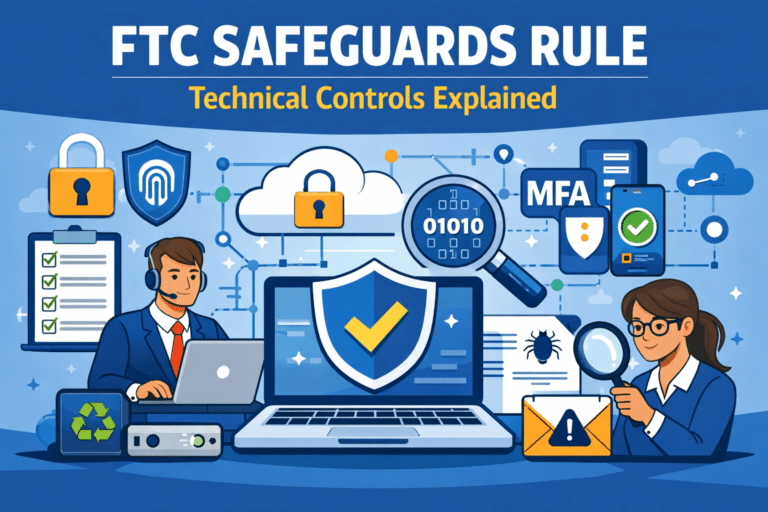
The FTC Safeguards Rule Technical Controls requires covered financial institutions to implement specific technical safeguards, like access controls, encryption, multi-factor authentication (MFA), secure disposal, change management, and logging/monitoring—based on risk. The Rule is practical by design: it’s less about buying a tool and more about enforcing controls, documenting exceptions, and verifying the controls work through monitoring and testing. If you maintain customer information concerning fewer than 5,000 consumers, certain Safeguards Rule requirements don’t apply (for example, specific written deliverables and parts of the testing cadence), but a security program with appropriate safeguards is still expected. This article breaks down the required technical controls in plain English and maps them to Office Heroes’ Guardian, Titan, and Overwatch service approach.
TL;DR
- The Rule lists eight core safeguard categories that include access controls, encryption, MFA, secure disposal/retention, change management, and logging/monitoring.
- MFA is required for any individual accessing any information system, with only limited written exceptions approved by your Qualified Individual.
- Encryption is required for customer information in transit and at rest, or you must use approved compensating controls when infeasible.
- You must regularly test/monitor safeguards; where effective continuous monitoring isn’t in place, the Rule calls for annual pen testing and vulnerability assessments at least every 6 months (unless an applicability exception applies).
- Office Heroes can support these controls through Guardian (foundational security), Titan (testing + risk visibility), and Overwatch (governance + compliance monitoring)—but responsibility remains with the business.
Who This Is For
This is for:
- Businesses covered by the FTC Safeguards Rule that need a practical breakdown of the technical safeguards.
- Owners, operations leaders, compliance leads, and IT leaders translating legal requirements into implementable controls.
This is not for:
- Organizations that are certain the Rule doesn’t apply to them.
- Readers looking for step-by-step product configuration instructions (this stays vendor-neutral and control-focused).
If you’re unsure about coverage or edge cases, confirm with counsel or a qualified compliance advisor.
What This Is
The FTC Safeguards Rule (16 CFR Part 314) requires covered financial institutions to develop, implement, and maintain an information security program with safeguards appropriate to their size, complexity, and the sensitivity of customer information.
In the Rule’s “Elements” section, 16 CFR 314.4(c)(1)–(8) lists specific safeguards, many of which are technical controls you’ll recognize from common security frameworks.
Acronyms and terms (plain English):
- MFA (multi-factor authentication): Login that uses at least two different factor types (for example, password + app prompt/token).
- Qualified Individual: The person accountable for overseeing the security program (you can use outside support, but you must designate accountability).
- Information system (practical meaning): Any set of electronic resources that collects, processes, stores, or transmits electronic information containing customer information, or systems connected to it. In practice, this often includes email, cloud apps (SaaS), endpoints/laptops, VPN/remote access, identity providers, and admin portals.
Why This Matters
The Safeguards Rule is meant to reduce unauthorized access to customer information by requiring organizations to implement controls that are risk-based, consistently operated, and verified through monitoring and testing.
A short anonymized scenario: A firm goes through a partner/vendor security review. They have security tools in place, but can’t show (1) MFA coverage beyond email, (2) encryption decisions and exceptions, or (3) logging/monitoring evidence that would detect misuse by authorized users. The review stalls while they inventory systems, tighten access, and document compensating controls.
The takeaway: auditors, partners, and insurers typically look for evidence that controls are implemented, enforced, and reviewed—not just purchased.
Detailed Plain-English Breakdown
If you maintain customer information concerning fewer than 5,000 consumers, certain Safeguards Rule requirements do not apply, specifically 16 CFR 314.4(b)(1), 314.4(d)(2), 314.4(h), and 314.4(i). This threshold is about the number of consumers whose customer information you maintain (not your employee count, revenue, or number of transactions). Even if this exception applies, you are still expected to run an information security program with appropriate safeguards.
314.4(c)(1) Access controls
Meaning You must implement and periodically review access controls that:
- Authenticate users (prove they are who they say they are),
- Authorize access (grant only what’s approved), and
- Limit access to customer information to what’s necessary (least privilege).
Common failure
- Shared accounts (“everyone uses the same login”)
- Former employees still enabled
- Admin rights granted broadly “for convenience”
- No periodic review of who has access to what
What good looks like
- Role-based access aligned to job responsibilities
- Separate admin accounts and tighter controls for privileged access
- Joiner/mover/leaver process (access changes with job changes)
- Regular access reviews with documented sign-off for higher-risk systems
314.4(c)(2) Identify and manage data, people, devices, systems, and facilities
Meaning You must know what you’re protecting and manage it based on your risk assessment—especially where customer information exists and who/what can reach it.
Common failure
- No inventory of laptops, servers, cloud apps, or who owns them
- “Shadow IT” (teams signing up for tools without oversight)
- No understanding of where customer information is stored or transmitted
What good looks like
- Asset inventory (devices + systems) with clear owners
- Data map (where customer information is stored/transmitted)
- Tiering systems by criticality (high-impact vs. low-impact)
- Basic facility controls where applicable (controlled access to equipment areas)
314.4(c)(3) Encrypt customer information in transit and at rest (or document compensating controls)
Meaning You must encrypt customer information:
- In transit over external networks, and
- At rest (stored on devices/systems). If encryption is infeasible in a specific case, you must use alternative compensating controls that are reviewed and approved by your Qualified Individual.
Common failure
- Assuming “the cloud encrypts everything” without verifying settings and scope
- Unencrypted laptops or removable media
- Emailing sensitive files without secure transfer controls
- “We can’t encrypt this legacy system” with no documented compensating controls
What good looks like
- Encryption-by-default on endpoints and servers where customer information may reside
- Secure transfer methods for sharing sensitive files and enabling remote access
- Intentional key management practices (ownership, access, lifecycle)
- A documented exception process (rare), with compensating controls like strict access controls, segmentation, and monitoring
314.4(c)(4) Secure development practices (and evaluating third-party apps)
Meaning If you develop (or heavily customize) applications that transmit, access, or store customer information, you must use secure development practices. You also need procedures for evaluating/testing the security of externally developed applications you use that touch customer information.
Common failure
- Treating vendor procurement as “IT bought it, so it’s fine”
- No security review before deploying a new app or integration
- No process for patching/updating critical applications
What good looks like
- A lightweight security review for new apps and integrations (risk-based)
- Remediation process for material security findings
- Vendor and application due diligence proportional to risk (data access + business criticality)
314.4(c)(5) Multi-factor authentication for access to any information system
Meaning You must implement MFA for any individual accessing any information system, unless the Qualified Individual approves in writing the use of reasonably equivalent or more secure access controls.
Common failure
- MFA enabled only for email (not for VPN, admin portals, cloud apps, or device management)
- “Optional MFA” (users can skip)
- Weak exception handling (informal, undocumented, or permanent)
What good looks like
- MFA enforced broadly across systems that touch customer information
- Stronger MFA methods for privileged access (risk-based)
- A documented exception process (rare) with compensating controls and approval
314.4(c)(6) Secure disposal and retention minimization (including a two-year default)
Meaning You must securely dispose of customer information no later than two years after the last date it is used to provide a product or service—unless retention is required by law/regulation, necessary for legitimate business needs, or targeted disposal isn’t feasible due to how the data is maintained. You also must periodically review your retention policies to avoid keeping data longer than necessary.
Common failure
- Old customer records kept indefinitely “just in case”
- No secure disposal for retired devices/drives
- Backups retained indefinitely without policy alignment
What good looks like
- A retention schedule tied to legal and business requirements
- Secure destruction procedures for paper and electronic media
- Offboarding and device lifecycle procedures include data handling and disposal
- Backup retention aligned to policy, reviewed periodically
314.4(c)(7) Change management
Meaning You must have change management procedures—how changes to systems are requested, reviewed, approved, tested (as appropriate), and documented.
Common failure
- “We just update things when we can”
- No record of who changed admin roles, firewall rules, or key system settings
- Emergency changes becoming the norm
What good looks like
- Clear change types (standard, normal, emergency)
- Risk-based approvals (more rigor for higher-impact systems)
- Documentation you can show later (tickets, approvals, change logs)
- Rollback planning for changes that could disrupt critical systems
314.4(c)(8) Logging and monitoring (detect misuse and tampering by authorized users)
Meaning You must monitor and log authorized user activity and detect unauthorized access, use, or tampering by authorized users.
Common failure
- Logs exist but no one reviews them
- No alerting on risky actions (privileged changes, unusual access patterns, mass downloads)
- Log retention too short to support investigation
What good looks like
- Centralized logging for key systems that handle customer information
- Alerts tuned to meaningful risk, with documented review and follow-up
- Log retention aligned to your investigation needs and policies
314.4(d) Testing and monitoring effectiveness
Meaning You must regularly test or monitor safeguards to detect attacks, intrusions, or other system changes that could affect security. For information systems, this includes effective continuous monitoring or periodic penetration testing and vulnerability assessments. Where effective continuous monitoring (or an equivalent approach) is not in place, the Rule specifies:
- Penetration testing at least annually, and
- Vulnerability assessments at least every 6 months, plus after material changes or when circumstances could materially impact your security program (unless an applicability exception applies).
Common failure
- One-time scanning with no remediation tracking
- Pen testing treated as a checkbox rather than risk-driven validation
- Findings reported but not managed to closure (no deadlines, no re-test)
What good looks like
- Monitoring that results in action (triage, response, and lessons learned)
- Risk-based testing scope aligned to your environment and risk assessment
- Documented remediation workflow, with re-testing to confirm closure
Also related (not covered in depth here)
Even though this article focuses on the technical controls in 314.4(c), most organizations will also need to address:
- Incident response planning (how you respond when something goes wrong), and
- Program governance and reporting (how the program is overseen, decisions are documented, and leadership is kept informed).
Those aren’t “purely technical,” but they’re tightly connected to monitoring, testing, and evidence.
Common Mistakes & Misconceptions
- “We bought security tools, so we’re compliant.” Tools can enable controls, but compliance is about implementation, enforcement, documentation, and verification.
- “Outsourcing means the vendor owns compliance.” Service providers can support your program, but your business remains responsible for oversight, decisions, and accountability.
- “MFA only matters for email.” The Rule’s MFA requirement is broader: access to any information system, with limited, documented exceptions only.
- “Encryption isn’t possible, so we’ll skip it.” If encryption is infeasible, the expectation is approved compensating controls—not silence.
- “Logging means saving logs somewhere.” Logging without review/alerting typically won’t demonstrate detection and response capability.
High-Level Implementation Overview
People
- Designate a Qualified Individual and define who approves exceptions (MFA alternatives, encryption infeasibility decisions).
- Train staff on access, data handling, and change management expectations.
Process
- Maintain a living inventory of systems, data locations, and access roles.
- Establish a change management workflow proportional to risk.
- Define retention/disposal rules and operationalize them (offboarding, device lifecycle, backups).
Technology
- Enforce MFA, least privilege, encryption, and centralized logging across systems handling customer information.
- Implement monitoring and testing appropriate to your environment (continuous monitoring where effective; otherwise risk-based pen testing and vulnerability assessments).
Leader Self-Check
- Do we know where customer information is stored and transmitted?
- Is MFA enforced for access to our information systems (with documented exceptions only)?
- Do we have least-privilege access and periodic access reviews for higher-risk systems?
- Is customer information encrypted in transit and at rest (or are exceptions documented with compensating controls)?
- Do we have secure disposal procedures and a retention policy we follow?
- Are changes to critical systems tracked, reviewed, and approved?
- Are key logs centralized, monitored, and retained appropriately?
- Do we test and monitor safeguards regularly—and track remediation to closure?
How Office Heroes Supports This
Office Heroes can support compliance efforts by helping you implement, operate, and evidence the Safeguards Rule technical controls—so you can answer audits and security questionnaires with less scramble. Responsibility remains with the business, including appointing the Qualified Individual, approving exceptions, and maintaining oversight.
The outcomes we help you achieve (and how we typically scope it)
- Get MFA and access under control across the systems that matterReduce “who has access to what?” confusion with enforceable access standards, tighter admin access, and routine access reviews—so you can show that access is limited and periodically reviewed.
- Make encryption and exception decisions defensibleConfirm where customer information is stored/transmitted, strengthen encryption coverage where feasible, and document any approved compensating controls—so your encryption posture is explainable and consistent.
- Be able to prove monitoring and logging are workingImprove visibility into key systems, establish practical alerting/review routines, and retain the evidence you’ll need for investigation and compliance—so logs aren’t just collected, they’re usable.
- Turn testing into action (not a one-time report)Use vulnerability assessments and penetration testing support to validate controls, prioritize fixes, and track remediation to closure—so testing results translate into measurable risk reduction and evidence.
- Stay audit-ready with lightweight governance and evidence routinesOrganize policies, decisions, exceptions, and recurring reviews in a way leadership can understand—so your program is easier to maintain over time, not rebuilt every audit cycle.
Related Resources & Internal Links
Parent hub
Related Office Heroes services
Links Needed (to avoid inventing URLs)
- Guardian package page
- Titan package page
- Overwatch package page
When to Get Help
Bring in specialized IT/security/compliance support if:
- You can’t confidently identify where customer information lives or who can access it.
- MFA coverage is incomplete across systems.
- Encryption exceptions exist but aren’t documented and approved.
- You don’t have meaningful logging/monitoring or a workable investigation process.
- Vulnerability findings and system changes aren’t tracked through remediation and re-testing.
- You’re preparing for an audit, insurer review, or a major partner security questionnaire.
If you want a practical, control-by-control gap review against the FTC Safeguards Rule (focused on MFA, encryption, access control, logging/monitoring, and testing), schedule an IT consultation with Office Heroes:
Sources
- FTC Business Guidance: “FTC Safeguards Rule: What Your Business Needs to Know” (Federal Trade Commission)
- eCFR: 16 CFR Part 314 — Standards for Safeguarding Customer Information (including § 314.4 Elements and § 314.2 Definitions)

Peter Zendzian is the Founder & Chief Cybersecurity Strategist at Office Heroes, a cybersecurity-focused Managed IT Service Provider helping CPA firms, law firms, credit unions, defense contractors, and small regulated businesses stay secure, compliant, and audit-ready.
Peter served more than 20 years in the U.S. Navy, retiring as a Chief Petty Officer after leading secure communications, cybersecurity operations, and technology teams across joint military environments. His background in classified systems, compliance, risk management, and operational security directly shapes Office Heroes’ modern, practical approach to protecting small businesses.
He is the co-author of two bestselling cybersecurity books:
Your Business Must Have a Cybersecurity Risk Assessment
Cybersecurity Essentials for Small Businesses
Peter is a trusted advisor to business owners and a subject matter expert in:
FTC Safeguards Rule compliance
GLBA compliance
NIST SP 800-171
CMMC Level 2 readiness
Microsoft 365 and Azure security
Endpoint protection, EDR, and vulnerability management
Data protection, disaster recovery, and cloud resilience
Secure remote access and Azure Virtual Desktop
Small business workflow automation
Certifications & Recognition
Retired U.S. Navy Chief Petty Officer (E-7)
DoD Cyber & Communications Leadership Training
20+ years managing classified systems and secure communications
Co-author of two bestselling cybersecurity books
Expert in FTC Safeguards, GLBA, NIST SP 800-171, and CMMC Level 2
Microsoft 365 and Azure security practitioner
Specialist in data protection, disaster recovery, and ransomware defense
Peter’s mission is simple: to make world-class cybersecurity, compliance, and IT support accessible to small businesses that don’t have internal IT or security teams — giving them the protection, clarity, and confidence they deserve.
- Peter Zendzian

- Peter Zendzian
- Peter Zendzian

- Peter Zendzian