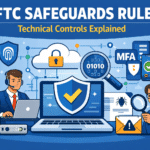
The FTC Safeguards Rule says some small businesses that handle consumer financial data must protect that data with a written security program. The basics are: assign a person in charge, figure out your main risks, put key safeguards in place (like MFA and encryption), and keep simple proof that you do these things. Some requirements are lighter if you keep customer information for fewer than 5,000 consumers, but most core expectations still apply. If you’re not sure the Rule applies to your business, confirm with counsel or a qualified compliance advisor.
TL;DR
- Name a Qualified Individual (QI) who owns the security program.
- Write down your risk assessment and your Written Information Security Program (WISP).
- Cover key controls: access limits, MFA, encryption, secure disposal, change control, and logging/monitoring.
- Train your team, watch your vendors, and test that controls work.
- Know the FTC reporting trigger: 500+ consumers and 30 days for certain events.
Who This Is For
This is for small business owners and managers who may be covered by the FTC Safeguards Rule because they handle consumer financial information.
This is not legal advice, and it’s not a full replacement for reading official guidance or getting help when rules are unclear.
What This Is
The FTC Safeguards Rule is a federal rule that requires covered businesses to have a written information security program to protect customer information (nonpublic personal information).
Key terms (in plain English):
- Qualified Individual (QI): the person responsible for your security program.
- Risk assessment: a written look at what could go wrong and what you will do about it.
- WISP (Written Information Security Program): your written plan that explains your safeguards and how you run them.
If coverage or exceptions are unclear for your business, confirm with counsel if unsure.
Why This Matters
The goal is simple: protect sensitive customer information and be able to show you are doing it in a consistent way. For small businesses, the biggest problems are often missing documentation and missing routine follow-through.
Scenario (anonymized): A partner asks for your WISP, proof of MFA, vendor security notes, and recent testing results. You have security tools, but you don’t have written documents or records. The request turns into a rush, and the partnership gets delayed.
Detailed Plain-English Breakdown
Key Exception / Applicability (Small Business Note): If you keep customer information for fewer than 5,000 consumers, some parts of the Rule may not apply (mainly certain “written” items and certain testing/monitoring details). Many businesses still document these items because it makes reviews, audits, and insurance requests easier. Confirm your status if you’re unsure.
Quick checklist (copy/paste)
Ownership
- 1. Name a Qualified Individual (QI) and write down the role and responsibilities
- 2. Set a simple approval path for security decisions and exceptions
Risk + plan
- 3. Do a risk assessment (what data you have, where it is, what could happen, what you will do)
- 4. Create or update your WISP (your written program)
- 5. Review and update these documents on a schedule and after major changes
Required safeguard areas (make sure you cover each one)
- 6. Access controls (least privilege + access reviews)
- 7. Inventory (systems, apps, devices, accounts, vendors that touch customer info)
- 8. Encryption (in transit + at rest) or approved alternatives with written reasoning
- 9. Multi-factor authentication (MFA) for system access (or approved alternatives)
- 10. Secure disposal (no later than 2 years after most recent use, with documented exceptions)
- 11. Change management (review security impact before major changes)
- 12. Logging and monitoring (detect suspicious or unauthorized access)
- 13. Security evaluation of applications and systems (including third-party tools)
Proof it works
- 14. Test/monitor controls and track fixes
- 15. Train staff and keep completion records
- 16. Manage vendors (choose carefully, require security in contracts, review regularly)
Incident readiness + reporting
- 17. Keep an incident response plan (written unless you are clearly exempt; recommended either way)
- 18. Include an FTC reporting check: 500+ consumers and 30 days for certain qualifying events
- 19. Provide annual QI reporting to leadership (required unless you are clearly exempt; recommended either way)
1. Qualified Individual (QI)
Meaning: One person is responsible for running the security program.
Common failure: No clear owner, so policies and tools are not enforced.
What good looks like:
- A written QI designation (name or role)
- Clear authority to approve changes and require fixes
- A simple record of reviews and decisions (even brief notes are helpful)
2. Risk assessment (and keeping it current)
Meaning: You list where customer information is, what could threaten it, and what safeguards you will use.
Common failure: A one-time checklist with no inventory and no updates.
What good looks like:
- Inventory of where customer information is stored and used
- A written list of key risks (internal and external)
- Clear choices: what you will fix first and why
- Update triggers (new vendor, new app, migration, incident)
3. Safeguards you must cover (plain-English)
Below are the required safeguard areas. For each one, use: Meaning → Common failure → What good looks like.
3.1 Access controls
Meaning: People only get the access they need.
Common failure: Too many admin accounts, shared accounts, and old users left active.
What good looks like:
- Least privilege by role
- Regular access reviews
- Fast offboarding and access removal
3.2 Inventory (systems + data)
Meaning: You can’t protect what you don’t know exists.
Common failure: Unknown apps, unmanaged devices, and vendors added without review.
What good looks like:
- A living list of systems, apps, devices, and key accounts
- A list of vendors that can access customer information
3.3 Encryption (or approved alternatives)
Meaning: Encryption helps keep data unreadable if it is intercepted or exposed.
Common failure: Assuming encryption is “automatic” without confirming it.
What good looks like:
- Encryption in transit (for data moving over networks)
- Encryption at rest (for stored data)
- If you can’t encrypt somewhere, a written exception with alternative safeguards and QI approval
3.4 Multi-factor authentication (MFA)
Meaning: A second step to log in, not just a password.
Common failure: MFA for email only, but not for admin tools or remote access.
What good looks like:
- MFA for key systems, especially where customer information is accessed
- Written exceptions only when necessary, with strong alternatives
3.5 Secure disposal and retention
Meaning: Don’t keep customer information longer than you need.
Common failure: “We never delete anything,” with no retention rules.
What good looks like:
- Secure disposal no later than two years after the most recent use to provide a product or service
- Written exceptions when needed (legal needs, business needs, or technical limits)
- Secure disposal methods for paper, devices, and cloud storage
3.6 Change management
Meaning: Big changes can create new security gaps.
Common failure: Making major changes with no security review.
What good looks like:
- A simple process to review the security impact before major changes
- Post-change checks (access, encryption, logging, monitoring)
3.7 Logging and monitoring
Meaning: You need visibility to spot unauthorized access and unusual activity.
Common failure: Logs exist, but no one reviews them.
What good looks like:
- Logs turned on for key systems
- Alerts for high-risk events (new admin access, suspicious sign-ins)
- A regular review habit and an escalation path
3.8 Application and system security evaluation
Meaning: You evaluate the security of systems and apps that touch customer information.
Common failure: Adding tools without understanding what data they access or store.
What good looks like:
- A repeatable review for new apps and vendors (risk-based)
- Security expectations included in vendor agreements
4. Testing and monitoring
Meaning: You check that safeguards work and you fix what you find.
Common failure: Testing once and never following up.
What good looks like:
- A simple testing or monitoring plan tied to your risks
- A list of findings with owners and due dates
- Proof of fixes (tickets, notes, screenshots, reports)
5. Staff training
Meaning: Training reduces mistakes and speeds up reporting.
Common failure: Training exists but is not tracked or refreshed.
What good looks like:
- New-hire training and regular refreshers
- Role-based training for higher-access staff
- Records of completion
6. Vendor (service provider) oversight
Meaning: Vendors can create risk if they can access your customer information.
Common failure: No security expectations in contracts and no review process.
What good looks like:
- A vendor list with risk levels
- Contract language for security and incident notice
- Periodic vendor reviews for higher-risk vendors
7. Incident response plan
Meaning: You have a plan for what to do if something happens.
Common failure: A template that does not match your real contacts and systems.
What good looks like:
- Roles and steps for triage, containment, and recovery
- Contact list (internal + outside help)
- Documentation and “lessons learned” after an incident
8. Leadership reporting (required unless clearly exempt)
Meaning: The QI provides a written report to leadership at least annually (and more often if needed).
Common failure: No record that leadership reviewed risks and results.
What good looks like:
- A short written annual report: major risks, key control status, testing results, incidents, and priorities
- Notes on decisions and approved actions
9. FTC breach reporting (know the basics)
For certain qualifying security events, the Rule requires notice to the FTC as soon as possible and no later than 30 days after discovery when it involves 500 or more consumers. This is separate from state breach notification laws. Your incident plan should include who decides whether an FTC notice is required and how that decision is documented.
Common Mistakes & Misconceptions
- Tools are not the same as compliance. You need policies, enforcement, and records.
- Outsourcing is not the same as transferring responsibility. Your business still owns the program.
- No evidence. If you can’t show training, reviews, and follow-up, it’s hard to prove the program runs.
- Overlooking vendors. Vendor access to customer information is a common weak spot.
- Policies that don’t match reality. Your WISP should reflect how you actually work.
High-Level Implementation Overview
People
- Assign a QI
- Define who owns access reviews, vendor reviews, training, and incident response
- Set leadership oversight and reporting
Process
- Maintain inventory, risk assessment, and WISP
- Standardize onboarding/offboarding, access reviews, disposal, and change review
- Track findings and fixes from monitoring/testing
- Review vendors on a schedule
Technology
- Enforce MFA and least privilege
- Use encryption where customer information is stored or transmitted (or document approved alternatives)
- Turn on logging and monitoring for key systems
- Validate security after major changes
Leader Self-Check
- We have a named QI with written responsibilities
- We know where customer information lives
- We have a current risk assessment and update triggers
- MFA is enforced (or exceptions are approved and documented)
- Encryption is in place (or alternatives are approved and documented)
- We monitor/test controls and track fixes
- Staff training is current and recorded
- Vendors with access are identified, contracted, and reviewed
- We have an incident plan that we can use
- We understand the FTC reporting basics (500+ / 30 days) and who decides
How Office Heroes Supports This
Office Heroes helps you turn Safeguards Rule requirements into a working, provable program, so you can answer “yes” with confidence when clients, insurers, or partners ask for security and compliance proof. We focus on reducing last-minute scrambles, closing common gaps, and keeping your documentation and evidence ready. Office Heroes can support compliance efforts, but responsibility remains with the business.
What that looks like in real outcomes:
- Faster, smoother client and insurer requests: You have a ready set of documents and evidence (WISP/risk assessment summaries, MFA/encryption status, vendor oversight notes, training records) instead of rebuilding it under pressure.
- Clear ownership and decisions: Your team knows who approves exceptions, who reviews results, and how security decisions get documented.
- Fewer preventable security gaps: Access is tightened, MFA and encryption are enforced consistently, and changes don’t accidentally introduce new risk.
- Vendor risk kept under control: You know which vendors touch customer information, what you require from them, and how you track follow-ups.
- Proof that safeguards work: Monitoring/testing is routine, findings are tracked, and remediation doesn’t get lost.
- Incident readiness without chaos: You have a practical response plan, key contacts, and a clear step for evaluating FTC reporting triggers.
- Leadership-friendly visibility: You can produce simple, plain-English updates that show risks, progress, and priorities without drowning in technical detail.
Related Resources & Internal Links
When to Get Help
Get help if:
- You’re not sure the Rule applies to your business
- You don’t have a clear QI owner, risk assessment, or WISP
- MFA/encryption/logging are inconsistent (and exceptions aren’t documented)
- Vendor oversight is informal or undocumented
- You don’t have an incident plan that includes an FTC reporting check
- Leadership reporting is missing (even when exempt, it often helps)
Schedule an FTC-focused compliance assessment to see what you have, what you’re missing, and what to prioritize next: https://office-heroes.com/it-consultation/

Peter Zendzian is the Founder & Chief Cybersecurity Strategist at Office Heroes, a cybersecurity-focused Managed IT Service Provider helping CPA firms, law firms, credit unions, defense contractors, and small regulated businesses stay secure, compliant, and audit-ready.
Peter served more than 20 years in the U.S. Navy, retiring as a Chief Petty Officer after leading secure communications, cybersecurity operations, and technology teams across joint military environments. His background in classified systems, compliance, risk management, and operational security directly shapes Office Heroes’ modern, practical approach to protecting small businesses.
He is the co-author of two bestselling cybersecurity books:
Your Business Must Have a Cybersecurity Risk Assessment
Cybersecurity Essentials for Small Businesses
Peter is a trusted advisor to business owners and a subject matter expert in:
FTC Safeguards Rule compliance
GLBA compliance
NIST SP 800-171
CMMC Level 2 readiness
Microsoft 365 and Azure security
Endpoint protection, EDR, and vulnerability management
Data protection, disaster recovery, and cloud resilience
Secure remote access and Azure Virtual Desktop
Small business workflow automation
Certifications & Recognition
Retired U.S. Navy Chief Petty Officer (E-7)
DoD Cyber & Communications Leadership Training
20+ years managing classified systems and secure communications
Co-author of two bestselling cybersecurity books
Expert in FTC Safeguards, GLBA, NIST SP 800-171, and CMMC Level 2
Microsoft 365 and Azure security practitioner
Specialist in data protection, disaster recovery, and ransomware defense
Peter’s mission is simple: to make world-class cybersecurity, compliance, and IT support accessible to small businesses that don’t have internal IT or security teams — giving them the protection, clarity, and confidence they deserve.
- Peter Zendzian

- Peter Zendzian
- Peter Zendzian

- Peter Zendzian