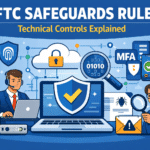
In many cases, yes. CPA firms that provide tax preparation or similar services often fall under the FTC Safeguards Rule, a GLBA requirement for certain “financial institutions.” If covered, your firm must maintain a written information security program with safeguards appropriate to your size, complexity, and the sensitivity of client data you handle.
This article is educational, not legal advice. If your service lines are unusual, confirm applicability with your attorney,.
Key Takeaways
- Tax preparation firms are specifically cited as covered entities in FTC materials
- Coverage depends on what you do, not whether you consider yourself a “financial institution”
- Firms with fewer than 5,000 consumers get limited exceptions, but still need a security program
- Security events affecting 500+ consumers require FTC notification within 30 days
- Tools support compliance, but governance, documentation, and oversight matter just as much
Who This Guide Is For
Written for:
- CPA firms and tax practices handling individual tax and financial data
- Managing partners, firm administrators, and operations leaders responsible for risk and client trust
- Firms preparing for busy season, insurance renewals, or enterprise client onboarding
Not intended as:
- Legal advice or a definitive ruling on edge-case service lines
- Step-by-step technical configuration instructions
What Is the FTC Safeguards Rule?
The FTC Safeguards Rule is a federal regulation under the Gramm–Leach–Bliley Act (GLBA) requiring covered financial institutions to develop, implement, and maintain an information security program protecting customer information. This is generally, nonpublic personal information handled while providing covered financial services.
For CPA firms, the practical implication is straightforward: if you provide services that place you under the rule (most commonly, individual tax preparation), you need a written program, clear ownership, and safeguards matching the sensitivity of your data.
Why CPA Firms Can’t Ignore This
The Safeguards Rule ensures businesses trusted with sensitive financial information use reasonable administrative, technical, and physical safeguards. For CPA firms, it also intersects with real-world expectations from clients, insurers, and professional partners.
Consider this scenario: A mid-sized CPA firm is onboarding a new enterprise client with strict vendor due diligence requirements. The firm has solid security practices, but can’t quickly produce a written security program, a current risk assessment, or vendor oversight records. Onboarding stalls. Leadership scrambles to document decisions and fill gaps, right in the middle of busy season.
This situation plays out repeatedly across the industry. The firms that avoid it aren’t necessarily more secure, they’re better documented.
The Small-Firm Exception (What It Does and Doesn’t Do)
Firms maintaining customer information for fewer than 5,000 consumers are exempt from certain Safeguards Rule elements, but this isn’t a free pass.
What the exception removes: Specific formal documentation, testing cadences, and reporting requirements.
What it doesn’t remove: The obligation to maintain a written, risk-based security program with appropriate safeguards.
Many firms below the threshold still adopt the full framework because it simplifies audits, insurer questionnaires, and client due diligence. The rule uses “consumer/customer” terminology tied to services for personal, family, or household purposes, so counting isn’t always obvious for firms with mixed client types. If you’re near the threshold, document your counting methodology and confirm with attorney.
The 10 Core Requirements (And Where Firms Fall Short)
1. Written Information Security Program (WISP)
Covered firms must maintain a written program including administrative, technical, and physical safeguards appropriate to their operations.
Common failure: “We have security tools,” but no document explaining scope, responsibilities, how safeguards work together, or how the program evolves.
What good looks like: A WISP reflecting your actual environment, endpoints (computers), email, cloud apps, file sharing, remote work, client portals, plus how you review and improve controls.
2. Designated Qualified Individual
Someone must be accountable for overseeing and implementing the security program. This can be internal staff or supported by a service provider like Office Heroes, but accountability stays with the firm.
Common failure: Security becomes everyone’s job and no one’s responsibility. Key tasks, reviews, documentation, vendor oversight, fall through the cracks.
What good looks like: A named person with authority, dedicated time, and leadership visibility. When external support is involved, oversight responsibilities are documented clearly.
Back to our scenario: The scrambling firm had no Qualified Individual. Three different people thought someone else was handling compliance documentation.
3. Risk Assessment
Your security program should be grounded in understanding what could reasonably go wrong, how likely and impactful it would be, and whether existing safeguards are sufficient. This assessment needs revisiting as your firm changes.
Common failure: A one-time questionnaire that sits in a folder, never driving decisions or remediation.
What good looks like: A practical assessment tied to CPA realities, busy season access spikes, email compromise risk, remote work patterns, data sharing with clients, third-party applications, connected to an improvement plan with timelines.
4. Core Technical and Administrative Safeguards
Safeguards typically include access controls, multi-factor authentication (MFA), encryption (or documented compensating controls), secure data retention and disposal, change management, and logging/monitoring.
Common failure: Inconsistent MFA enforcement, unclear offboarding procedures, ad-hoc retention rules, minimal logging, and processes that exist only as tribal knowledge.
What good looks like: Consistent identity and access controls, documented exceptions with rationale, clear retention and disposal practices, and sufficient monitoring to investigate suspicious activity without chaos.
5. Testing and Monitoring Controls
You need to verify that controls actually work, through periodic testing, continuous monitoring, or both. Depending on your environment, this may include vulnerability assessments or penetration testing.
Common failure: No evidence of testing. Only assumptions that things are working.
What good looks like: A repeatable schedule with artifacts, reports, tickets, remediation notes, demonstrating continuous improvement and supporting due diligence requests.
The firm in our scenario couldn’t show a single vulnerability scan or penetration test. Their new client’s security questionnaire specifically asked for dates and findings.
6. Security Awareness Training
Personnel need security awareness training, and the organization needs sufficient qualified resources to run the program and address risks.
Common failure: Annual checkbox training that doesn’t address the threats CPA firms actually face, phishing, credential theft, client impersonation, payment redirection schemes.
What good looks like: Training mapped to your actual risks, reinforced during high-risk periods (tax season, year-end), supported by clear policies on acceptable use, remote access, and data handling.
7. Vendor and Service Provider Oversight
You must select vendors capable of safeguarding customer information, require safeguards contractually, and periodically assess vendors based on risk.
Common failure: No contract requirements around security, no review schedule, no documentation of what due diligence was performed.
What good looks like: A lightweight but consistent vendor process, contract clauses requiring security controls, an annual review checklist for key vendors, and records of what you verified and when.
8. Incident Response Planning
The rule includes incident response expectations. For most firms, a written incident response plan is required (subject to the small-firm exception). Even when not strictly required, having a plan is operationally essential.
Common failure: “We’ll figure it out when it happens.” This approach guarantees longer downtime, miscommunication, and poor documentation during a crisis.
What good looks like: A plan naming roles, defining escalation points, outlining internal and external communications, and including post-incident review, scaled appropriately to your firm size.
Our scenario firm did eventually onboard their client, three weeks late. During the delay, a partner asked: “What would we actually do if we had a breach right now?” No one had a confident answer.
9. Leadership Reporting and Governance
The Qualified Individual typically provides written reporting to leadership on program status and material issues (subject to the small-firm exception).
Common failure: Leadership has zero visibility into security posture until there’s an incident or an urgent client request.
What good looks like: A brief annual briefing covering top risks, program changes, testing results, vendor issues, incidents, and priorities for the coming year.
10. FTC Security Event Notification
If you discover a security event involving information of 500 or more consumers, the Safeguards Rule requires notifying the FTC within 30 days of discovery.
Common failure: Not knowing what qualifies as reportable, lacking logs to assess unauthorized access, or missing internal workflows to meet the timeline.
What good looks like: Defined incident criteria, investigation procedures, documentation discipline, and a communications workflow. Note: FTC notification doesn’t replace other obligations shuch as state breach notification laws, contractual requirements, or insurer conditions may also apply.
Common Misconceptions
“We’re too small to be covered.” The small-firm exception removes specific requirements, not the obligation to have a security program.
“Our tools handle compliance.” Tools enable controls. Compliance requires ownership, policies, documentation, training, vendor oversight, and ongoing review.
“Our IT vendor is responsible.” A service provider can support implementation, but accountability stays with your firm.
“We just need a document.” A WISP matters, but it must reflect real safeguards that are implemented, tested, and maintained.
Implementation Framework
People
- Assign a Qualified Individual with authority and leadership access
- Train staff on relevant risks (phishing, credential theft, client impersonation)
- Define who approves exceptions and who owns vendor oversight
Process
- Maintain a WISP reflecting your actual environment
- Conduct practical risk assessments and update them as the firm evolves
- Schedule vendor reviews and security assessments with documentation
- Establish incident response workflows before you need them
Technology
- Enforce MFA wherever client data is accessed
- Use encryption where feasible; document compensating controls where not
- Centralize logging enough to support investigation
- Maintain and test backup and recovery capabilities
Self-Assessment Checklist
This is a simplified readiness gauge to help CPA firm leadership identify obvious gaps in their security program relative to common Safeguards Rule expectations. Use it as a conversation starter with your team or IT provider.
- [ ] Current written information security program (WISP) matching our environment
- [ ] Named Qualified Individual with clear accountability
- [ ] Documented risk assessment driving improvement priorities
- [ ] Consistent MFA enforcement (or documented exceptions)
- [ ] Inventory of where client data lives across systems
- [ ] Vendor oversight process with documentation for key providers
- [ ] Sufficient logging to investigate suspicious access
- [ ] Incident response workflow with assigned roles
- [ ] Understanding of the 500-consumer FTC reporting trigger and timeline
How Office Heroes Helps CPA Firms With Safeguards Compliance
With Office Heroes you don’t have to build the whole program alone. Office Heroes helps CPA firms turn Safeguards Rule expectations into a practical, documented security program that can stand up to client due diligence and insurer questionnaires, without adding unnecessary overhead.
What that looks like:
- Translate requirements into your environment: We help you map where client data lives (endpoints, email, cloud apps, portals, vendors), who touches it, and what protections matter most for your risk profile.
- Make safeguards consistent and repeatable: We help standardize access control and MFA practices, device protections, secure configuration habits, backup/recovery routines, and monitoring—so safeguards aren’t dependent on “tribal knowledge.”
- Build the documentation you’ll actually use: We help you maintain a written security program and supporting artifacts (risk notes, policies/procedures, control evidence) in a way that’s easy to update and easy to produce when requested.
- Support vendor oversight: We help you set up a lightweight vendor process—contract expectations, periodic reviews for key providers, and a simple trail of what you checked and when.
- Improve validation and follow-through: We help you identify weaknesses, prioritize fixes, track remediation, and retain evidence of progress—so you can show improvement over time, not just intentions.
- Be incident-ready: We help you establish an incident workflow with clear roles, decision points, and evidence handling—so you can respond faster and document what happened if reporting or notifications become necessary.
Office Heroes can support compliance efforts, but responsibility remains with your firm to determine applicability, approve risk decisions, and meet requirements.
When to Get Professional Help
Consider engaging IT/security and legal support if:
- You’re unsure whether your service lines trigger Safeguards Rule coverage
- You don’t have a current WISP or a clearly assigned Qualified Individual
- MFA and access controls are inconsistent across client-facing systems
- Vendor oversight is informal or undocumented
- You’re uncertain how you’d investigate an incident and meet reporting timelines
Next Step
Want a CPA-focused assessment of your current Safeguards Rule posture? Schedule an FTC/GLBA assessment to identify high-impact gaps, documentation needs, and a realistic improvement timeline.
References
Office Heroes Resources
Authoritative Sources
- FTC Safeguards Rule (16 CFR Part 314)
- FTC: Safeguards Rule—What Your Business Needs to Know
- FTC: Safeguards Rule Notification Requirement Now in Effect
- FTC Security Event Reporting Form

Peter Zendzian is the Founder & Chief Cybersecurity Strategist at Office Heroes, a cybersecurity-focused Managed IT Service Provider helping CPA firms, law firms, credit unions, defense contractors, and small regulated businesses stay secure, compliant, and audit-ready.
Peter served more than 20 years in the U.S. Navy, retiring as a Chief Petty Officer after leading secure communications, cybersecurity operations, and technology teams across joint military environments. His background in classified systems, compliance, risk management, and operational security directly shapes Office Heroes’ modern, practical approach to protecting small businesses.
He is the co-author of two bestselling cybersecurity books:
Your Business Must Have a Cybersecurity Risk Assessment
Cybersecurity Essentials for Small Businesses
Peter is a trusted advisor to business owners and a subject matter expert in:
FTC Safeguards Rule compliance
GLBA compliance
NIST SP 800-171
CMMC Level 2 readiness
Microsoft 365 and Azure security
Endpoint protection, EDR, and vulnerability management
Data protection, disaster recovery, and cloud resilience
Secure remote access and Azure Virtual Desktop
Small business workflow automation
Certifications & Recognition
Retired U.S. Navy Chief Petty Officer (E-7)
DoD Cyber & Communications Leadership Training
20+ years managing classified systems and secure communications
Co-author of two bestselling cybersecurity books
Expert in FTC Safeguards, GLBA, NIST SP 800-171, and CMMC Level 2
Microsoft 365 and Azure security practitioner
Specialist in data protection, disaster recovery, and ransomware defense
Peter’s mission is simple: to make world-class cybersecurity, compliance, and IT support accessible to small businesses that don’t have internal IT or security teams — giving them the protection, clarity, and confidence they deserve.
- Peter Zendzian

- Peter Zendzian
- Peter Zendzian

- Peter Zendzian