Boundary and Scope
A clearer CUI boundary inside your GCC High tenant
Office Heroes CMMC Enclave is designed around a boundary-based model.
That matters because most compliance problems do not come from a lack of tools. They come from unclear scope, uncontrolled CUI sprawl, and too many users, systems, and storage locations touching regulated data without a disciplined model.
The enclave is intended to solve that by creating a defined place for regulated work inside a client-dedicated Microsoft 365 GCC High tenant.
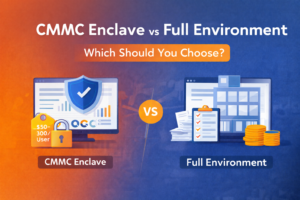
The enclave defines a controlled place for CUI instead of pulling the whole business into scope
The Office Heroes CMMC Enclave model is not intended to turn your entire company into one undifferentiated compliance environment.
It is intended to define a logical CUI security domain inside your GCC High tenant for the users, systems, services, storage locations, and controls that actually process, store, transmit, or protect CUI.
That boundary model helps reduce scope sprawl, improve operational discipline, and create a more supportable environment for ongoing management and assessment preparation.
What the enclave boundary is meant to include
The enclave includes the assets, services, identities, administrative functions, virtual desktop resources, storage locations, network and security controls, and supporting security services that process, store, transmit, or protect CUI within the approved enclave design.
The defined enclave boundary also includes the control plane and security services used to enforce enclave access, monitoring, protection, logging, and administrative control.
If a component handles CUI directly or provides security protection for enclave components, it belongs in the boundary.
These components are part of the enclave by default
The following are always in scope for the standard Office Heroes CMMC Enclave model.
Included items:
- the client-dedicated Microsoft tenant components used for enclave identity and control
- Microsoft Entra ID configuration used to enforce enclave access
- MFA and Conditional Access controls used for enclave users
- privileged role assignments and administrative control functions tied to the enclave
- the approved enclave desktop platform, including Azure Virtual Desktop and or Windows 365 where used in the design
- approved enclave storage locations explicitly designated for CUI
- boundary protection, monitoring, logging, backup, and security tooling that protect enclave components
- enclave users, privileged accounts, and administrators with enclave access
- documented external connections and supporting services approved to connect to the enclave
These components are considered part of the enclave because they either handle CUI directly or provide protection and control for the enclave.
These components stay outside the enclave unless formally brought in
The following are always out of scope for the standard enclave model unless they are later brought into scope through approved design and documentation.
Excluded items:
- ordinary business systems that do not process, store, or transmit CUI
- ordinary users and devices that do not participate in enclave operations
- corporate systems and business workflows unrelated to regulated work
- public-facing systems not used by the enclave
- unmanaged local storage outside the enclave
- non-enclave collaboration spaces used for normal business activity
- business systems that do not provide security protection to enclave components
Keeping these components outside the enclave is part of what makes the model more practical and easier to support.
Some assets move into scope only when the approved design requires it
Some components are not automatically in scope, but they become in scope when the approved enclave design, SSP, and boundary documentation include them.
Conditionally in-scope items:
- managed corporate endpoints used to access the enclave when they handle CUI locally
- approved unmanaged access devices where explicitly authorized under documented restrictions
- Microsoft 365 workloads such as Exchange, SharePoint, OneDrive, and Teams when CUI is explicitly authorized to exist there
- optional protections and add-on services enabled for enclave assets
- customer-operated or third-party connected systems approved to exchange data with the enclave
- approved external services, portals, SFTP destinations, and line-of-business systems documented in the external connection records
These assets are not assumed into scope automatically. They enter scope only when the approved design and documentation place them there.
Scope discipline reduces sprawl and supports stronger operations
When organizations do not define boundary and scope clearly, CUI tends to spread into too many places. That usually creates:
- more users in scope than necessary
- more endpoints in scope than necessary
- more storage locations to manage
- less clarity about where controls need to operate
- weaker documentation and evidence discipline
A defined enclave boundary helps avoid that by making it clear where regulated work is allowed to happen and which components must be controlled accordingly.
The selected operating mode changes how scope is applied
The selected operating mode affects where CUI is permitted to exist and therefore affects which assets are in scope.
AVD-Only
In AVD-Only mode, CUI is intended to remain inside approved cloud desktop sessions and approved enclave storage locations. Local endpoints used only to access those sessions may remain outside the core CUI processing boundary if they do not process, store, or transmit CUI locally.
Local-CUI
In Local-CUI mode, specifically approved managed endpoints that process, store, or transmit CUI locally become part of the enclave boundary and must be controlled accordingly.
Mixed Mode
In Mixed Mode, some users and assets stay within the AVD-only path while other specifically approved users and endpoints are brought into scope for local CUI handling.
The product standard stays the same. The selected mode changes where CUI is allowed to exist and which assets must be documented inside the enclave boundary.
Boundary decisions must be reflected in the documentation set
The enclave boundary is not just a design concept. It has to be documented clearly and consistently.
That includes reflecting the boundary and scope position in:
- the system security plan
- the enclave boundary statement
- architecture and data flow documentation
- asset inventories
- approved storage and workload records
- access control records
- external connection records
- client-specific implementation details where permitted
A well-documented boundary is easier to operate, easier to explain, and easier to defend.
A smaller boundary is not a weaker model
The purpose of the enclave is not to avoid controls. It is to apply the right controls to a clearly defined environment.
A smaller, well-controlled enclave can be stronger and more supportable than a loosely defined environment where regulated data is spread across too many systems and processes.
The goal is disciplined scope, not artificial complexity.
What a clearer boundary gives you
For the right organization, a defined enclave boundary can provide:
- a simpler CUI handling model
- clearer user and device authorization
- more disciplined storage and workload decisions
- better control over where regulated work happens
- stronger documentation and evidence structure
- a more supportable operating model inside GCC High
Review what should be inside your enclave boundary
We can walk through your current users, devices, workloads, storage locations, and connected systems to help determine what should be in scope, what should stay out, and which operating mode best fits your business.