Office Heroes CMMC Enclave
Managed CMMC Level 2 Enclave for GCC High
Handle CUI inside a client-dedicated Microsoft 365 GCC High tenant with a defined boundary, managed controls, and an operating model built for real-world contractor environments.
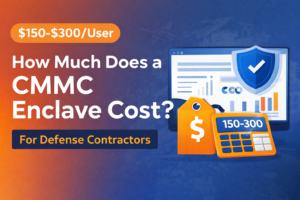
Starting at $205 per user/month
What this gives you
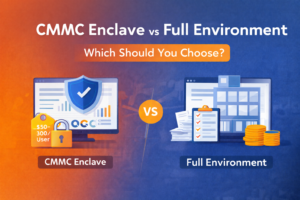
Most small defense contractors do not need to pull every user, device, and workflow into a controlled environment. They need a secure, well-managed place for the people, systems, and data that actually touch CUI.
This product creates that boundary while keeping the environment standardized, supportable, and easier to operate over time.
- Defined CUI boundary
- Approved user and device access
- Managed reviews and evidence
- Standardized technical baseline
A secure place for the users, systems, and data that actually touch CUI
Instead of stretching enclave requirements across every workstation and workflow, Office Heroes CMMC Enclave gives your company a defined area for regulated work inside your own GCC High environment. Your team gets a clear place to work with CUI. You keep better scope discipline. And you avoid turning compliance into a full-company rebuild.
This creates a defined place for regulated work instead of forcing your entire business into one control boundary.
Built as a complete solution, not a one-off project

Standardized managed baseline
A fixed core standard delivered consistently across clients instead of a one-off custom build.

Client-dedicated GCC High tenant
Built inside your own Microsoft 365 GCC High tenant with enclave segmentation and defined boundary control.

Audit-ready operating model
Quarterly reviews, logging workflows, backup validation, evidence retention, and assessor-facing documentation support.
Choose the design that fits how your company actually works.
One product. Three supported operating modes.

AVD-only enclave
Keep CUI inside a controlled Azure Virtual Desktop environment with managed access paths and display-focused workflows.

Local CUI endpoint model
Allow CUI on approved managed devices inside the defined boundary when the business requires local processing.

Mixed-mode deployment
Support both cloud desktop and approved local CUI workflows under one operating standard.
A controlled operating model around the enclave, not just licenses and settings
Entra ID with MFA and Conditional Access
Privileged access separation
Managed logging and monitoring
EDR and SOC monitoring
DNS filtering
Backup and recovery controls
Review and evidence workflows
Standardized onboarding, offboarding, and access review procedures
More control, clearer ownership, and a stronger operational story
- Clearer control over CUI
- Separate sensitive work from ordinary business operations with a defined boundary and approved access paths.
- Less burden on your internal team
- Office Heroes operates the technical controls, review workflows, and evidence model behind the enclave.
- A stronger story for audits and customers
- Operate in a more disciplined, documented way when primes, assessors, or internal stakeholders ask how CUI is protected.
- More operational consistency
- Use a standard deployment and operating model instead of relying on ad hoc tools and inconsistent endpoint use.

Business decisions stay with you. Technical control operation stays with us.
You decide and approve:
- Who should have access
- What data is CUI
- Which business devices are approved
- When external sharing is allowed
- Business-impact decisions during incidents
Office Heroes implements and operates:
- Technical implementation and control enforcement
- Identity, endpoint, and cloud desktop standards
- Monitoring, alert review, and backup workflows
- Quarterly reviews and evidence retention
- Technical response and recovery support
Microsoft provides inherited controls within service boundaries
A stronger control story for subcontractors supporting prime requirements.
For small subcontractors, this helps create a more defensible way to handle CUI. For primes, it provides a clearer picture of how sensitive work is separated, governed, reviewed, and supported over time.

Talk through your GCC High readiness, CUI handling model, and which enclave design fits your business.
We’ll review your current environment, how your team handles regulated work today, and whether an AVD-only, local-CUI, or mixed-mode enclave makes the most sense for your company.
Frequently Asked Questions
Yes. Office Heroes Enclave is built in your Microsoft 365 GCC High tenant.
No. The enclave is meant to create a secure place for handling CUI. It does not require you to move your entire business into the same environment.
For standard deployments, we can deploy in hours once prerequisites are complete.
Not by default. Microsoft 365 GCC High licensing is required and can be purchased through Office Heroes or provided by the client.
No. The enclave supports your security and compliance effort, but certification depends on the full assessed scope and your organization’s overall implementation.
Yes. Office Heroes Enclave can be delivered alongside your current IT support model.
Dedicated Cloud PC workspace
Managed device and user security
Access controls and MFA
24/7 SOC monitoring
Endpoint detection and response
DNS filtering
Backup and recovery
Deployment and ongoing management
Microsoft 365 GCC High licensing
Additional Cloud PC sizing
Extended migration services
Custom compliance support
Expanded managed IT scope
Additional approved application onboarding
Microsoft 365 GCC High licensing, unless purchased through Office Heroes
CMMC certification or a guaranteed assessment outcome
C3PAO fees or third-party assessor costs
Legal advice or contract interpretation
Non-enclave systems unless specifically added to scope
Unapproved third-party applications
Custom migration or remediation work beyond standard onboarding
Stop stretching CUI across your whole business
You do not need a bigger IT mess.
You need a secure, manageable place to handle CUI in the right tenant, with the right controls, and a team that knows how to support it.
That is what Office Heroes Enclave is built to provide.
Questions? Call (757) 300-5878 or email info@office-heroes.com.